Hi All,
Thursday was fill day (Thanks Sam @100% Reef Safe!), and it's been non-stop tinkering since then.
These first few days have required a few changes to the setup to get things dialed in. Initially I had a small flood
 caused by the chiller ports not being seated right, which lead to the tear down and dry out of the chiller. Have to say that I've never owned a chiller, and am pretty surprised that the design allows for leaks to enter the unit. The whole thing was saturated within 2 minutes. Lucky for me I wasn't standing in the salt water on the floor
  cause I'm sure it would have been the first test of just how good the RCD device was!
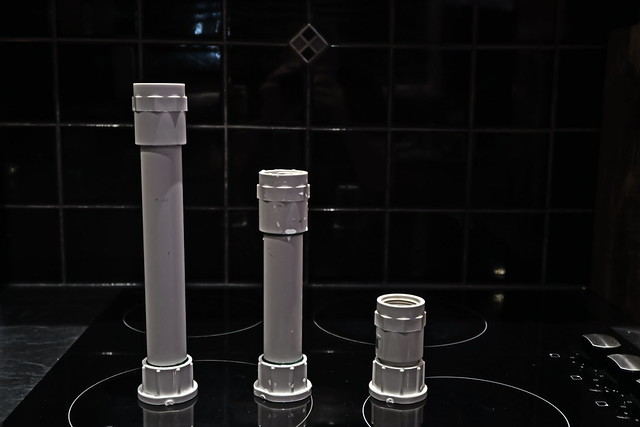
The Sump had a few teething problems, as the water started going in I pondered if the flow meter was waterproof... how did I not think of that? Turns out, no, it isn't. The riser between the meter and return pump was increased in height 3 times as I worked out how much water needed to be over the pump to stop micro bubbles in the display... turns out a lot more water was required, about 20 more liters than the recommended max working volume. The addition of the extra water settled everything down, no more micro bubbles, I'd say there's probably 15-20 cm of water over the pump now.
The sump fans which blow into the cabinet at 180 CFM warped the cabinet door directly in front of it by 5-8mm in 24h, opps! These have now bee reversed to suck air out of the cabinet, will see how that goes.
Last change has been to the foam splash guard I made for the intake which has been really effective diffusing the turbulent water, however, I could still see very fine spray venting, so have added 2 more. With 3 layers of foam at the top now, there is zero mist from the venting air/micro bubbles.


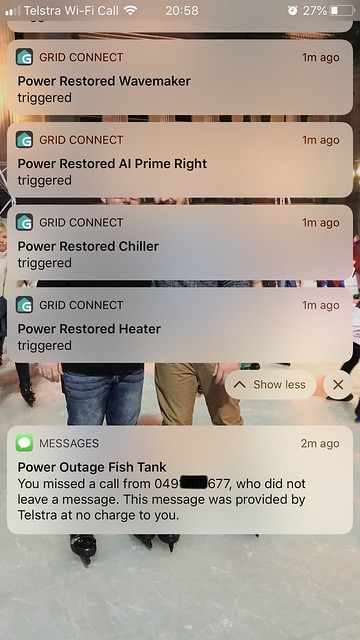
 I wanted power outage notifications on the power outage event, and when power was restored. The idea was to use an old android phone with a 365 day pre-paid sim to monitor power outages and call my mobile if one occurred (Outage alert triggers when the phone stops charging). My phone would receive the call, auto reject it, then I'd get a missed call SMS




 My other half and I went to the shop this weekend just gone, and picked up out new additions, which included a beautiful 6 Line Wrasse, which was dead by the next morning
  The only think I can think of which may have caused this would be rock die-off, but would love to hear what you guys think it could have been? Post that, we spent all Sunday dropping the water in the display, and replacing all of it with new NSW (dropping the no3 to 25ppm), and acclimating the fish again. Since the water change I've added 3 handfuls of Cheato to the fuge, and started off with an 8 hour opposite photo period. Testing the No3 daily now, the fuge is pulling about 10ppm of No3 per day which surprised the crap out of me!